# DM7 DCA level as number
**URL:** https://discourse.checkcheckonetwo.com/t/dm7-dca-level-as-number/4457
**Category:** Yamaha RCP Module
**Created:** [March 27, 2025, 4:47pm UTC](https://discourse.checkcheckonetwo.com/t/dm7-dca-level-as-number/4457 "2025-03-27T16:47:26Z")
**Posts on this page:** 4
**Page:** 1
### Author:  [@jockmcstrap](https://discourse.checkcheckonetwo.com/u/jockmcstrap)
#### Post date: [March 27, 2025, 4:47pm UTC](https://discourse.checkcheckonetwo.com/t/dm7-dca-level-as-number/4457/1 "2025-03-27T16:47:26Z")
Hi Andy, is there a way to have a DCA fader position show up as a number on a button for DM7?
---
### Author:  [@Andy](https://discourse.checkcheckonetwo.com/u/Andy)
#### Post date: [March 27, 2025, 4:49pm UTC](https://discourse.checkcheckonetwo.com/t/dm7-dca-level-as-number/4457/2 "2025-03-27T16:49:07Z")
Certainly!
You would do it using feedback, an auto-created variable and using the variable in the button text.
I’ll post some screen captures to show you in a moment.
---
### Author:  [@Andy](https://discourse.checkcheckonetwo.com/u/Andy)
#### Post date: [March 27, 2025, 5:05pm UTC](https://discourse.checkcheckonetwo.com/t/dm7-dca-level-as-number/4457/3 "2025-03-27T17:05:14Z")
On your button, create a feedback that is DCA/Fader/Level, then click “Auto-Create Variable”.
You can remove all style properties because they’re not going to be used.
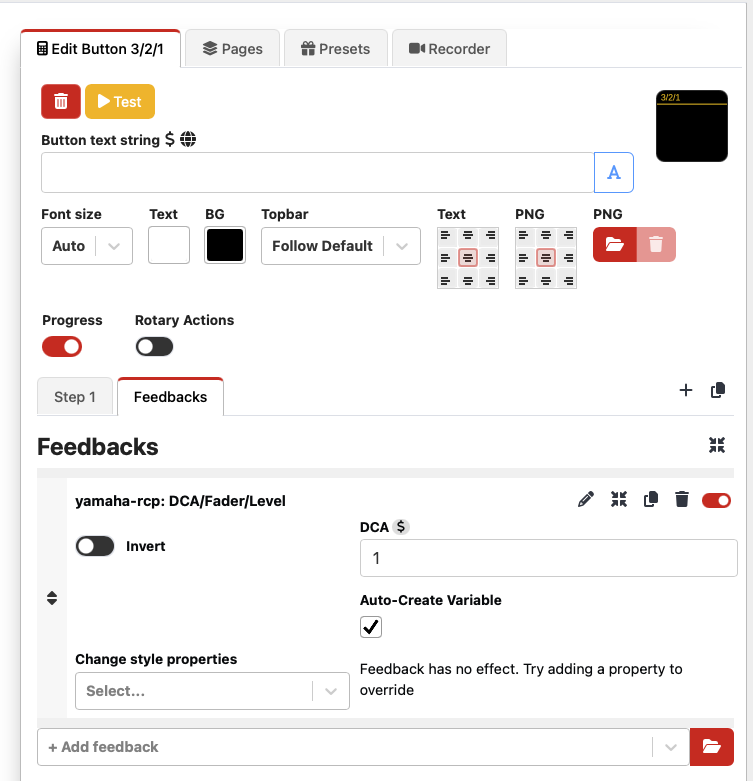
Next, with the console connected, go to the RCP variables page.

Next, select the newly created variable, which will be called something like `$(yamaha-rcp:V_DCA_Fader_Level_1)`
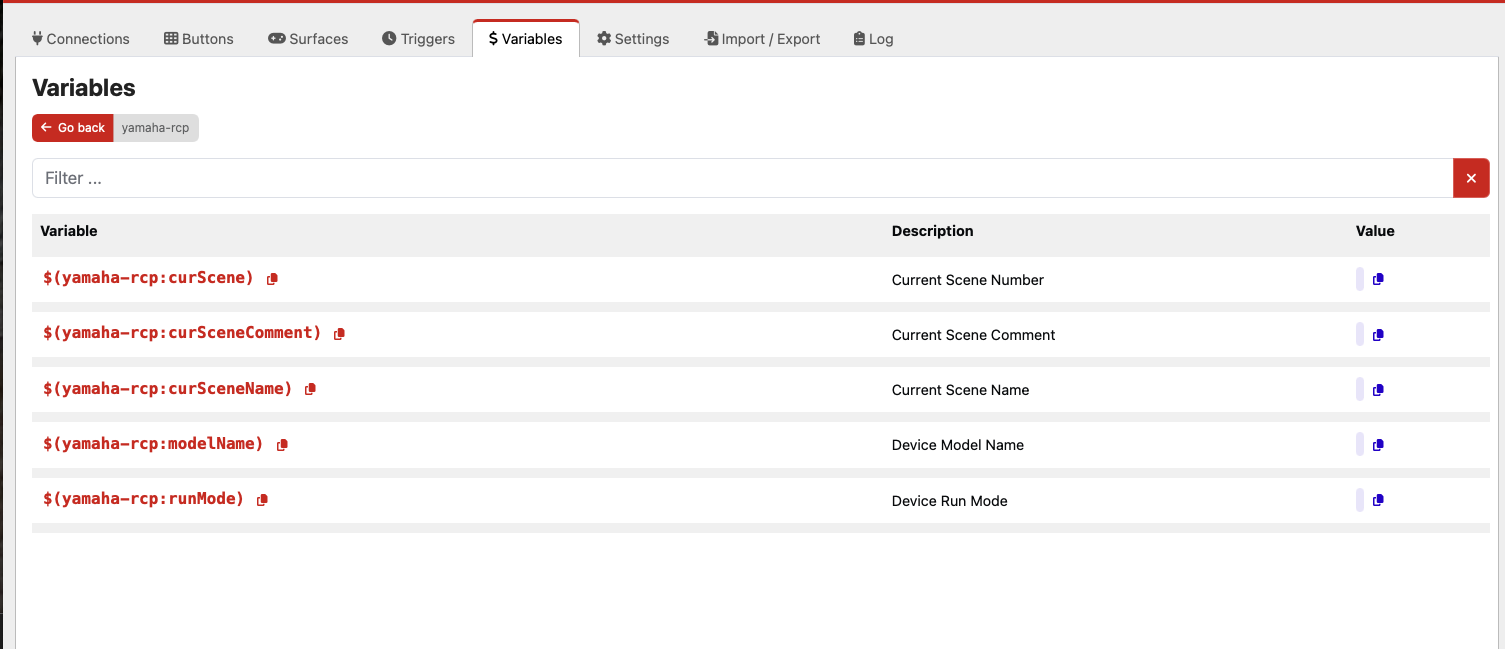
I don’t show that variable because I don’t have a DM7 I can connect. The variable will only appear after the connection has been made to the console.
Then, click on the red copy icon to the right of the Auto-Created variable name, and paste that into the “Button Text String” input.
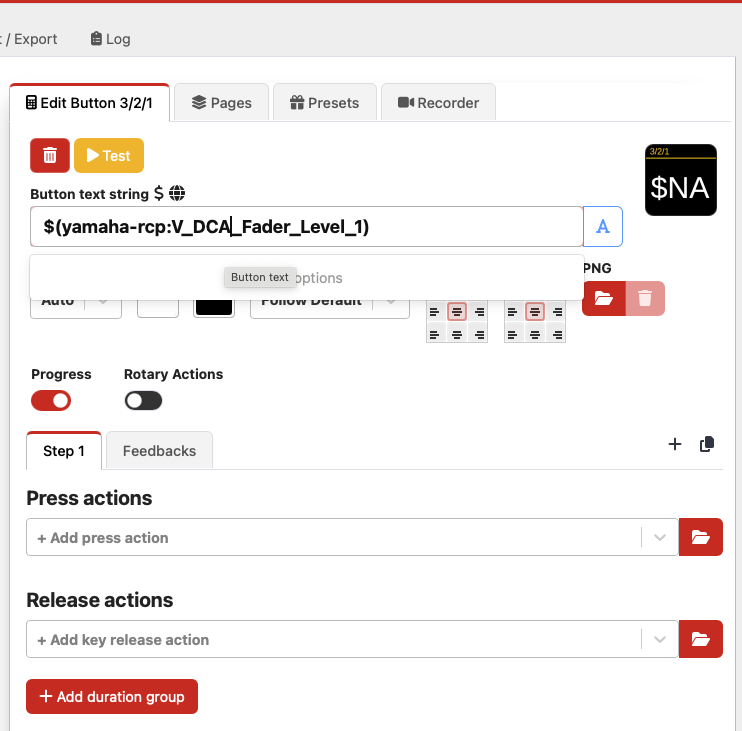
The button text will now show the fader level of DCA 1. If you want, you can add the letters “dB” after the variable.
Let me know if you run into any problems!
---
### Author:  [@jockmcstrap](https://discourse.checkcheckonetwo.com/u/jockmcstrap)
#### Post date: [March 27, 2025, 5:11pm UTC](https://discourse.checkcheckonetwo.com/t/dm7-dca-level-as-number/4457/4 "2025-03-27T17:11:24Z")
Awesome! That worked perfectly. Thank you!