# How to download the Studio Technologies Dante Module
**URL:** https://discourse.checkcheckonetwo.com/t/how-to-download-the-studio-technologies-dante-module/4896
**Category:** Studio Technologies Dante Module
**Created:** [March 20, 2026, 5:36am UTC](https://discourse.checkcheckonetwo.com/t/how-to-download-the-studio-technologies-dante-module/4896 "2026-03-20T05:36:36Z")
**Posts on this page:** 3
**Page:** 1
### Author:  [@Andy](https://discourse.checkcheckonetwo.com/u/Andy)
#### Post date: [March 20, 2026, 5:36am UTC](https://discourse.checkcheckonetwo.com/t/how-to-download-the-studio-technologies-dante-module/4896/1 "2026-03-20T05:36:36Z")
This module REQUIRES Companion 4.3 BETA
**PLEASE DO NOT TEST ANY BETA MODULES ON AN ACTUAL SHOW while it’s still being debugged.**
Feel free to post questions or issues in a new thread and thank you for giving it a whirl.
Thanks everyone for your help and support!
## **You need a trust level of 1 or greater to get to the next page or download the files**!!!
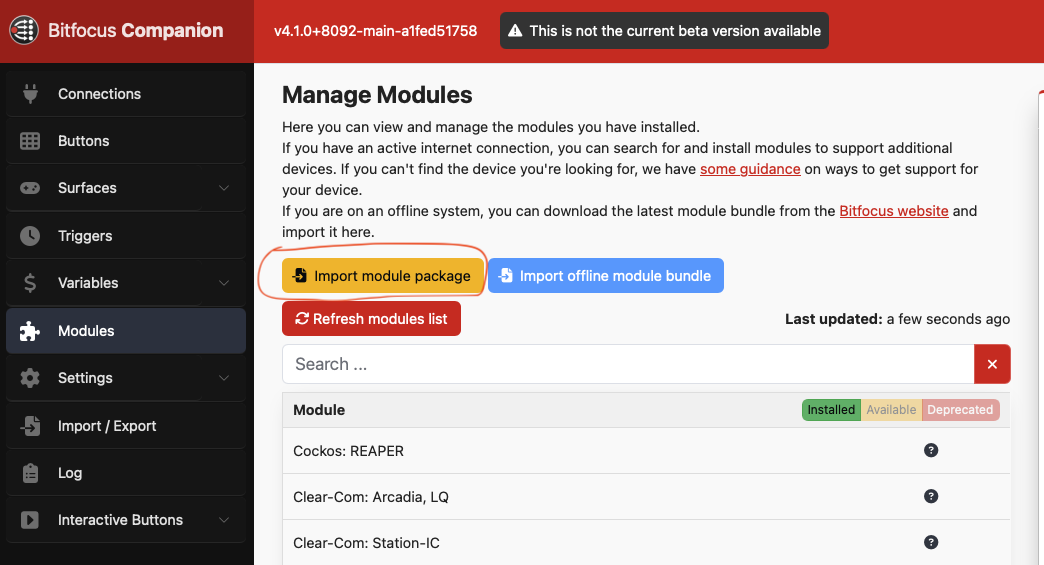
Just [download the **.tgz** file](https://discourse.checkcheckonetwo.com/t/latest-v3-modules/3460) and then just go to the **Modules** Tab, and use the **Import module package** function.
# If you see an “ **Oops** ” message, then you haven’t logged in or you don’t have the trust level YET! - [SEE HERE](https://blog.discourse.org/2018/06/understanding-discourse-trust-levels/)
If you get stuck, you can try the new Chat function here (the “thought bubble” at top right of the page between the search and hamburger icon) if I’m online, or send me a DM if not.
---
### Author:  [@Andy](https://discourse.checkcheckonetwo.com/u/Andy)
#### Post date: [March 20, 2026, 5:36am UTC](https://discourse.checkcheckonetwo.com/t/how-to-download-the-studio-technologies-dante-module/4896/2 "2026-03-20T05:36:44Z")
---
### Author:  [@Andy](https://discourse.checkcheckonetwo.com/u/Andy)
#### Post date: [March 23, 2026, 5:14pm UTC](https://discourse.checkcheckonetwo.com/t/how-to-download-the-studio-technologies-dante-module/4896/3 "2026-03-23T17:14:48Z")
I am slowly adding support for more ST devices, but it requires help from you!
Each device (sadly) uses a different way of communicating, so if you would like support for a device not on the list, then I’ll need your help with sending logs and testing.
Basically, the process is like this:
1. Send me a note saying you have a Modelxxxx ST Dante product and you’d like support.
2. I’ll send you an e-mail with some instructions on what I need.
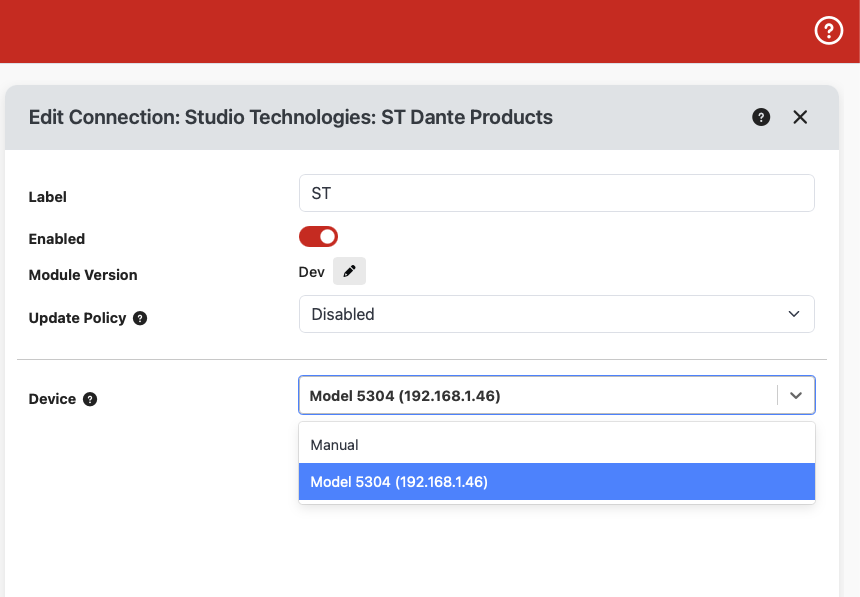
3. Run the latest module, connect up your product, and keep refreshing the config page until the new device shows up in the list (see below)
4. Once your device connects, create a button with the single “GLOBAL: Get all commands” action
5. Run that action and send me the files I instruct you to send
6. Send me some files that get created as per my e-mail instructions
7. I do some editing using those files and send a new build of the module back to you for testing
8. Repeat steps 2-5 until everything works as it should
I wish it were easier, but luckily the process doesn’t take too long (if I’m not too busy!).