Hello
Firstly- has Yamaha documented the list of RCP Actions, and what they do- that I can reference?
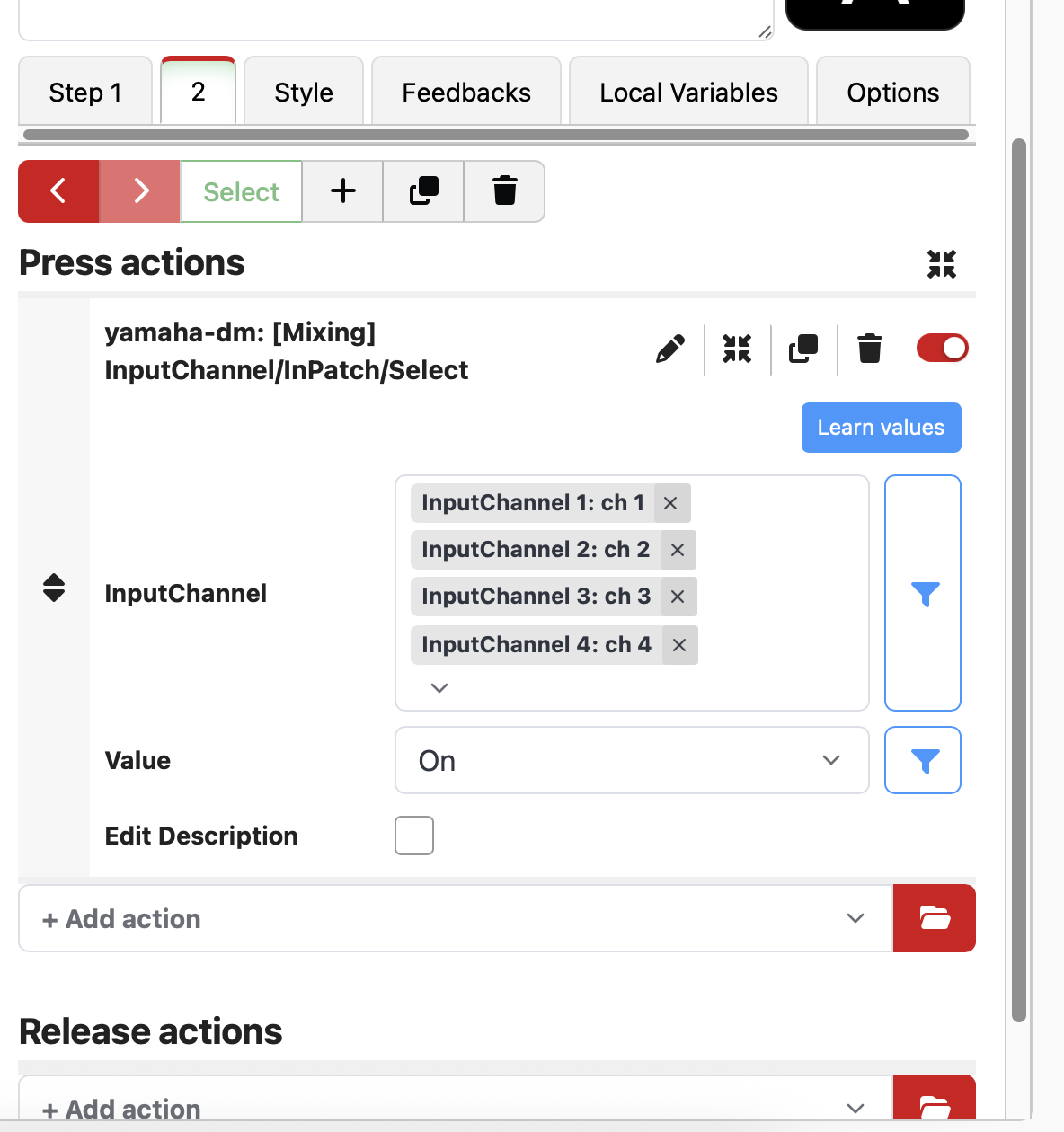
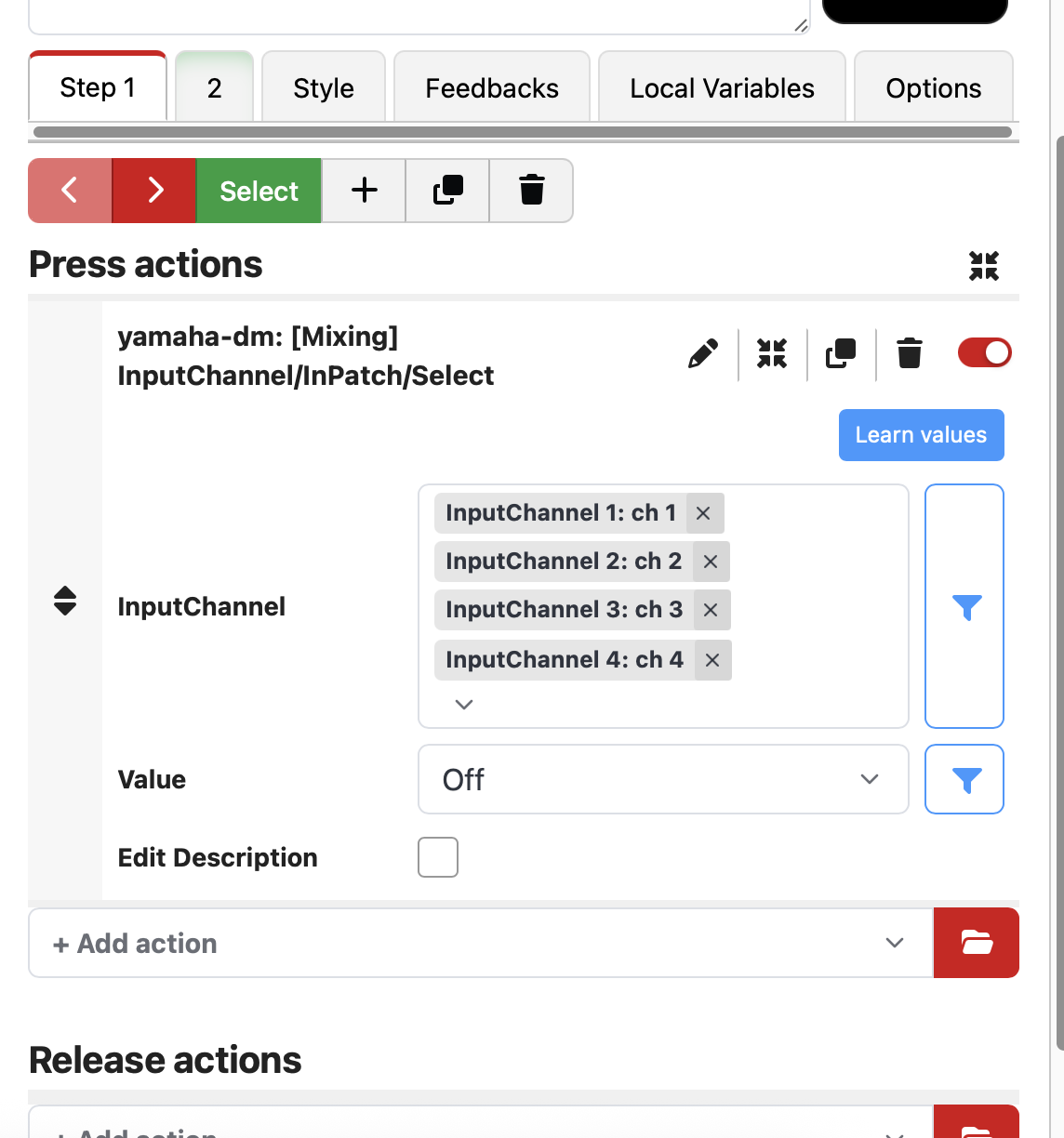
I am trying to make companion buttons trigger trigger a bunch of channels to patch to the B Input…
is this it?
thanks mate!
REID
Hello
Firstly- has Yamaha documented the list of RCP Actions, and what they do- that I can reference?
I am trying to make companion buttons trigger trigger a bunch of channels to patch to the B Input…
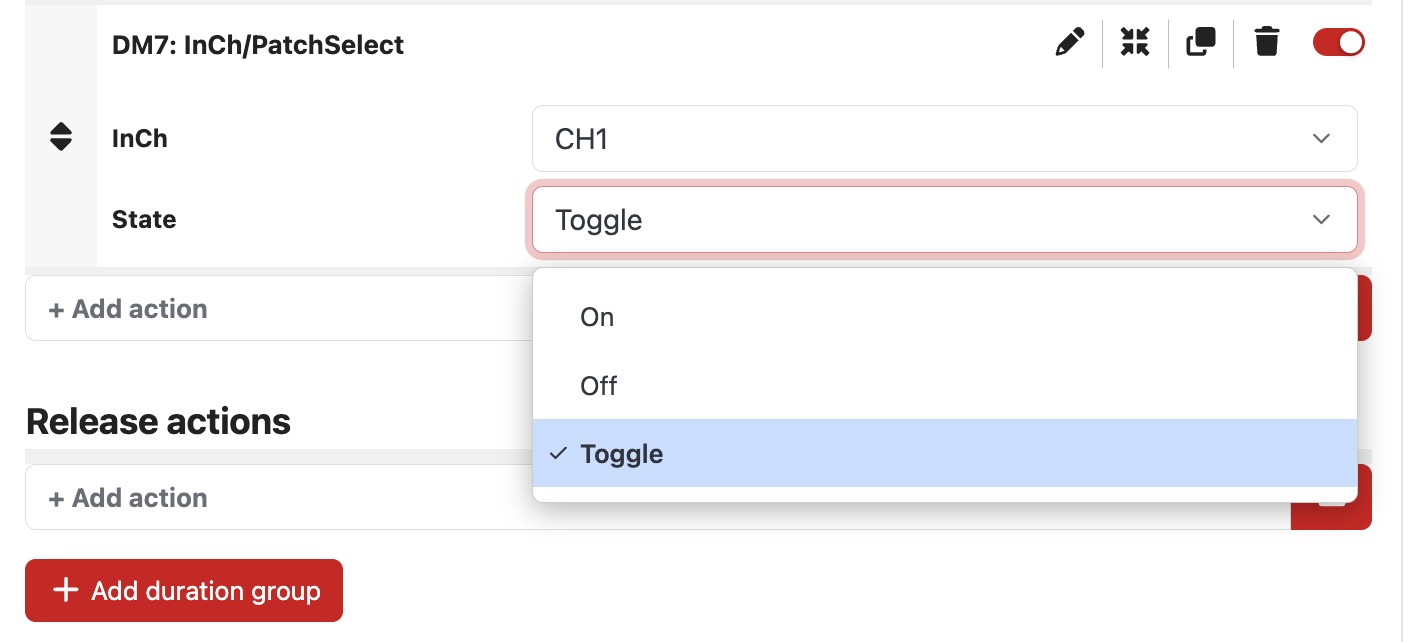
is this it?
thanks mate!
REID
I have a desk in front of me right now. This does not appear to do anything. It definitely does not switch between A and B. If you find that function, please shoot me an email. proaudioguy@yahoo.com becuase I would like to group a bunch of channels to switch between A and B at the same time. My use case is to swap between the Dante input and a Rio input for AD and ULXD.
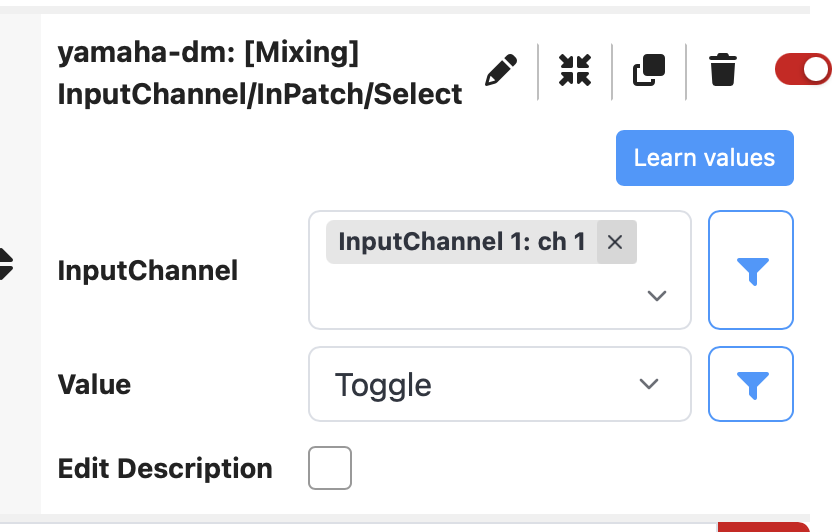
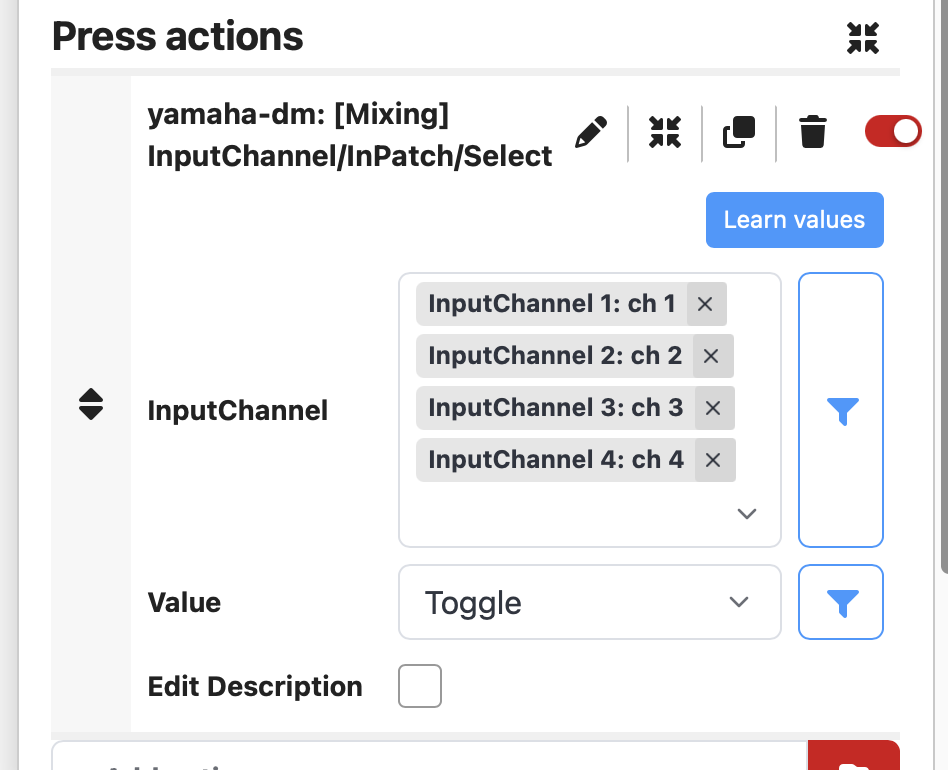
OK, I was about to go looking for the feature myself but I went to the button and RE SELECTED input channel 1 ch1 and hit the button again and it worked. SO, the default does NOT do anything but if you just X it out then select again, it DOES work!
I confirmed this works on all 4 channels at once!
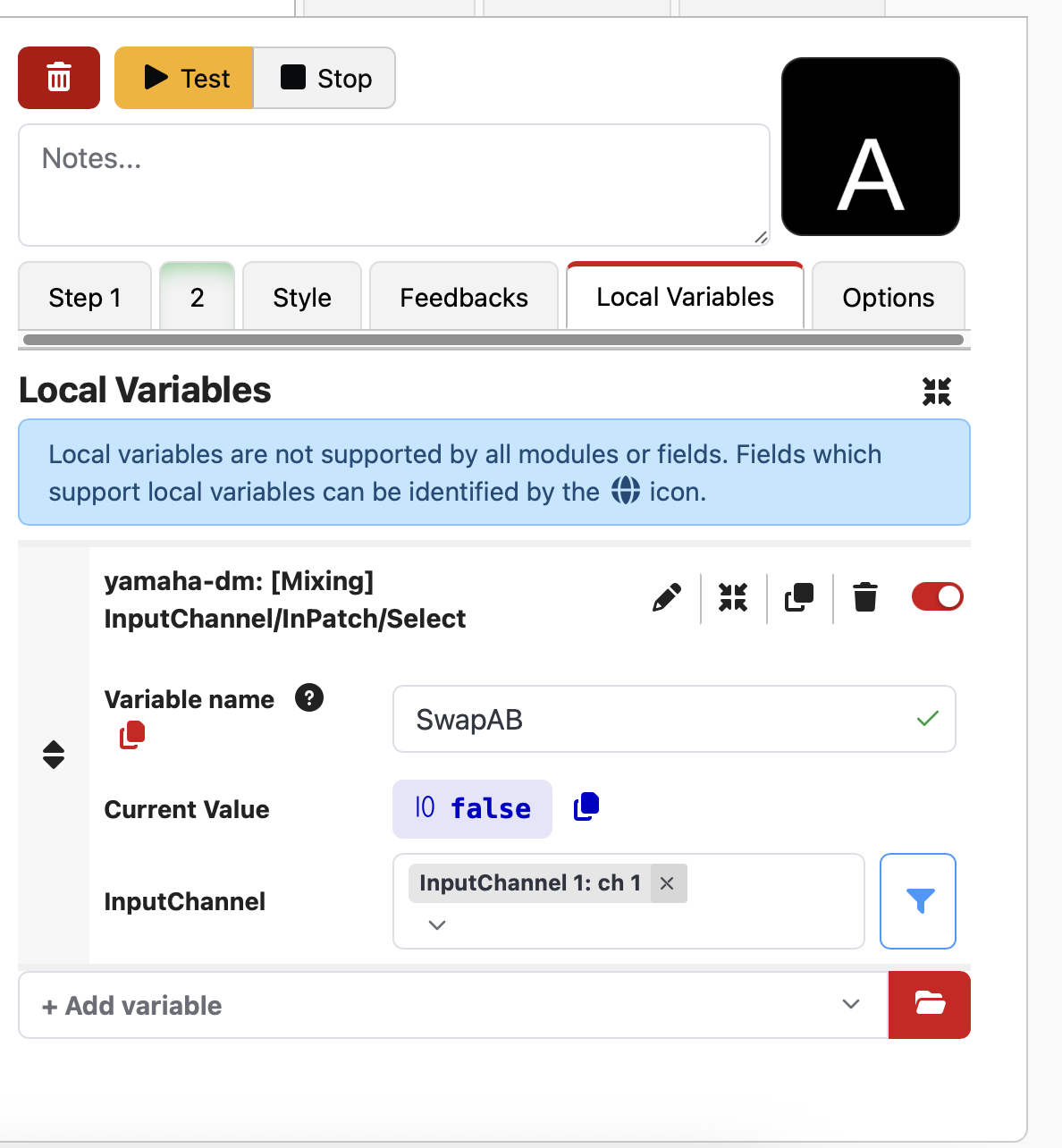
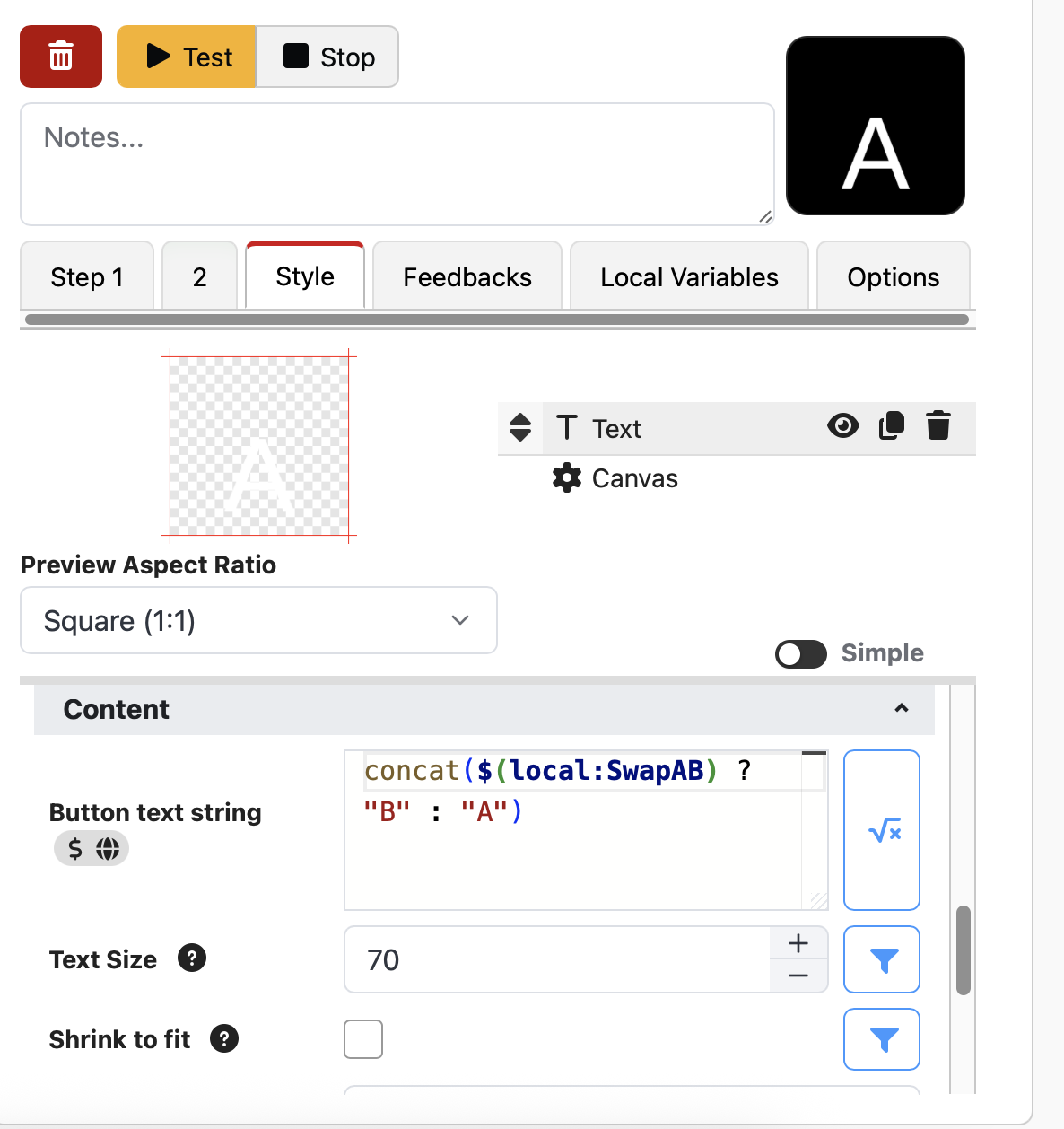
So the confusing thing, and I’ve confirmed this as well. ON = B, OFF =A. It would make more sense if they were labelled A and B. Toggle does go back and forth between them. I’d also like feedback to show A or B. The only Feedbacks available in this module are useTiming State, whatever that means. THere is no other option in feedbacks. What I figured out with the help of Claud is variable needs to be setup to ”yamaha-dm: [Mixing] InputChannel/InPatch/Select” then you need to name it something. I named it “SwapAB”. Then go to Styles and go to the Text and put the variable in the text field like this "concat(“Input\n”, $(local:SwapAB) ? “B” : "A”)” (and there are other ways, which I tried that also worked). I would have absolutely no way to know this which is what I hate about companion in general. I’d rather pay for it and have these things show up as options, but in any case, this is what you need to be able to SEE on the button the status of that channel. Now, given you may be swapping all 120 channels at once, there is not enough room to see the status of all of them. In that case you are better off using ON and OFF in steps. Toggle is just going to toggle them, right? I’ll check…CONFIRMED, Toggle does just that and I wouldn’t have it any other way. So if CH1 is on input A and ch 2 is on input B, toggle will make chA on input B and ch 2 on input A. So you would want 2 steps, one for all inputA, one for all input b, then when you hit the button to B, everything will change to B even if its already on B, and vice versa. I’ll mess with that now.
I can’t seem to attach the video. GIve me an email address and I’ll send it…
Using steps works to make all the included channels change to the current state you are looking for.
thank you! This is super helpful!
I sure wish Yamaha would take their RCP protocol more seriously and document it well and open it up to do a LOT more functions!!! Especially given that nothing (except Rivage) has any sort of MACROs!!!
Which console are you using?
the RCP commands that are available are the same as the OSC commands, if you’re using a console that supports OSC (e.g. DM7) You can see that list here:
I highly encourage you to use the Action Recorder to find out what command is what, or whether there’s sone available.
Go to the Action Recorder Tab, choose the RCP module, and enable it. Then perform the operation on the mixer that you want to find the RCP action for. If there is a matching one, it will appear in the action recorder. (You can test something like moving a fader to test it). Once recorded, you can apply it to an existing button, and then edit it.
It’s the best way to figure out all the commands.
That’s the DM module. The OP is asking about the RCP module.
Hi Andy,
Thanks for the info…
Also-
I wasn’t aware there was a DM module? I thought there was just the RCP module, and we set it to DM7?
Yup. It’s brand new, but pretty daunting because it has so much. Also it’s only in beta as it needs people to help test it.
If the RCP module is working for you, then no reason to change - the RCP module is much simpler and easier to use.
Thanks heaps!
I’ll checkout the new module.
I’m hoping it can do Sends on Fader!