Hello! I’m new to Companion. I have a question about the Generic: MIDI module. I have a USB MIDI controller with faders. Is it possible to use this module to, for example, adjust the master volume in vMix? I learned how to press a button in Companion using the trigger. In principle, the same trigger can be used to adjust the fader in vMix using “internal: Button: Trigger rotate left,” but I can only move the fader in vMix in one direction. How can I set up the trigger so that when the controller fader is moved up, it performs, for example, “internal: Button: Trigger rotate left,” and when the fader is moved down, it performs “internal: Button: Trigger rotate Right”? Another possible implementation option for this function is to match the MIDI level coming from the controller with a variable in the vMix companion module, which can precisely set the vMix fader to a specific level. For example, MIDI level 127 sets the vMix fader to 100%, and MIDI level 0 sets the vMix fader to 0%. However, this second option is very difficult for me to implement due to my lack of knowledge in this area.
Has anyone already implemented this functionality? Please tell me how. Thank you.
Hello and welcome!
You should use variables for this kind of operation.
There’s probably a 100 ways to do this, using local variables and things, but here’s one of the simplest:
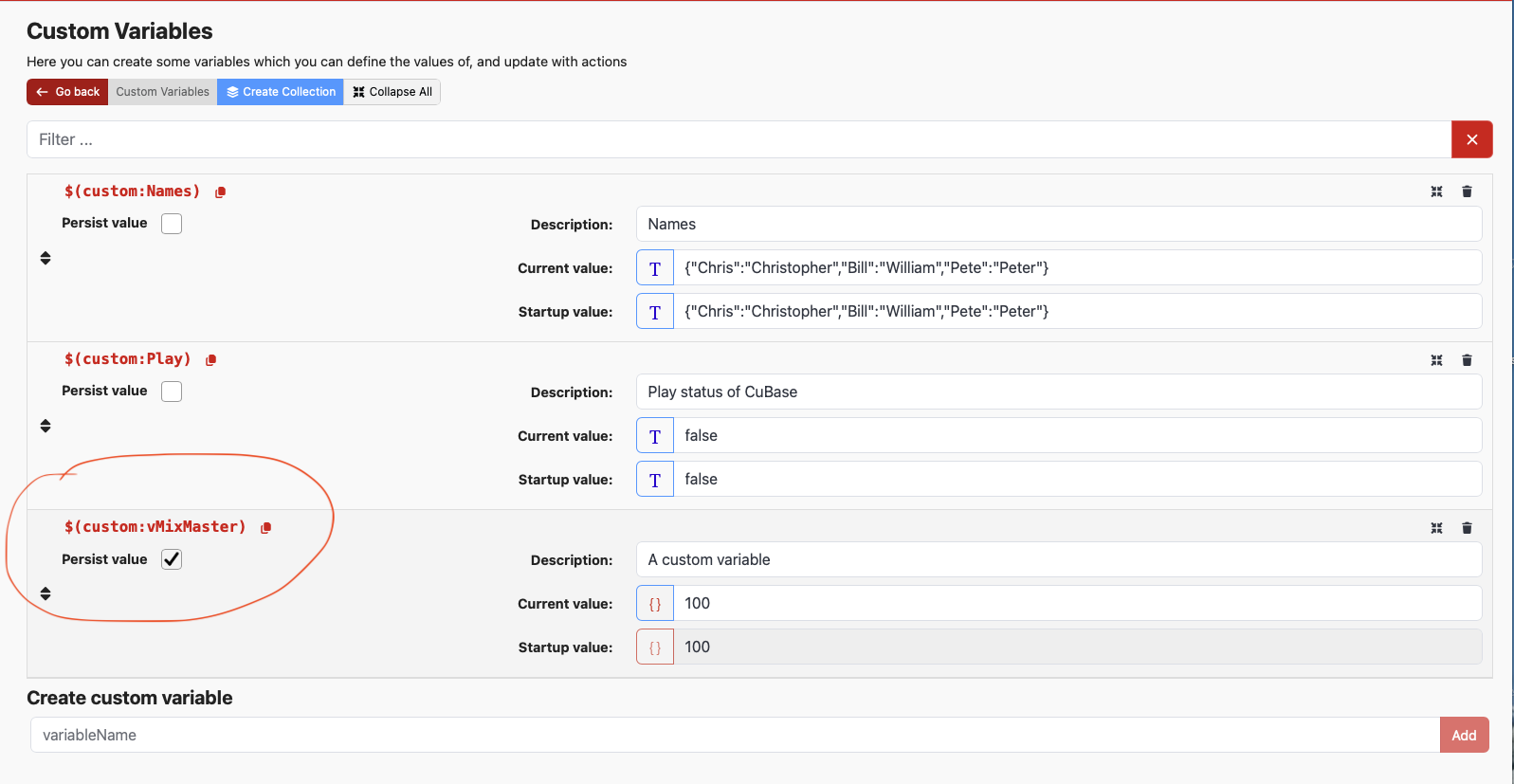
Create a custom variable (I’ve called it vMixMaster) for my example:
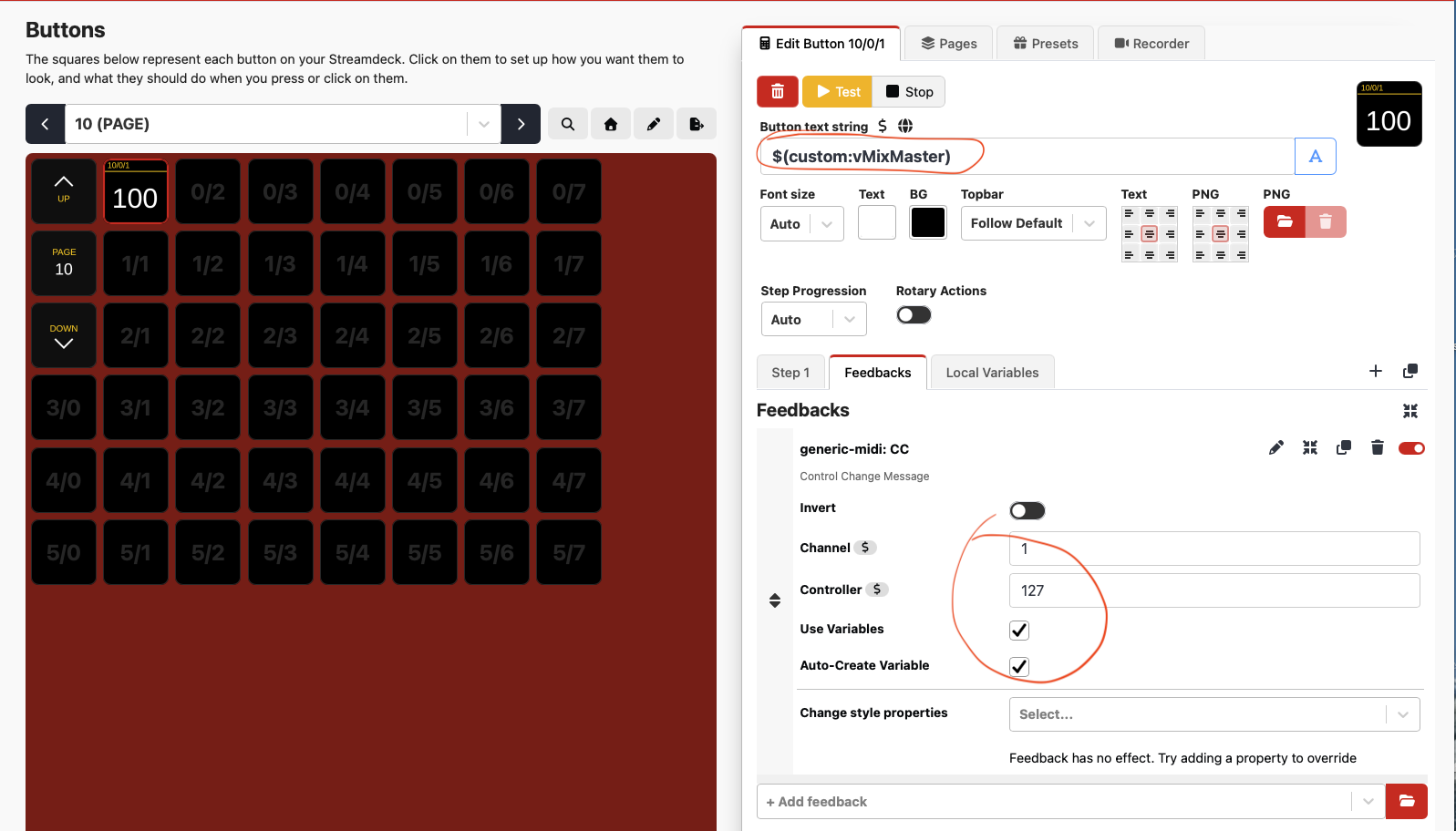
Add a button and with a feedback that creates a variable that stores the value of a CC (MIDI Continuous Controller value). You’ll need to change the channel and controller # to match your MIDI fader. The variable name will change depending on what channel and controller # you’ve chosen.
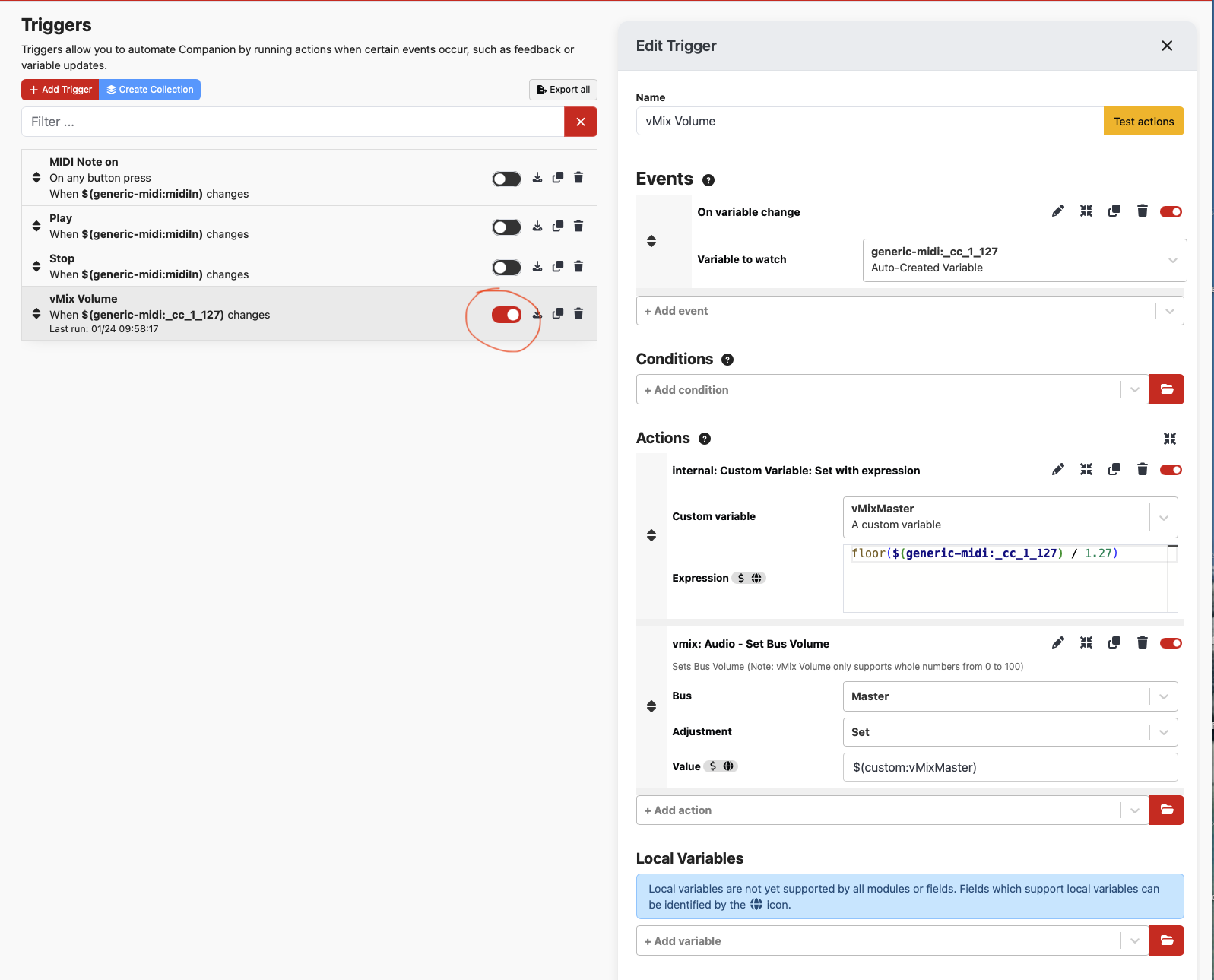
Create a trigger that watches the auto-created variable. This variable will have a value from 0 to 127 if you’re using a CC. vMix only allows volume settings from 0 to 100, so you have to convert it. The “Custom Variable: Set with expression” will convert the 0-127 to 0-100. It stores this new value into the custom variable that you created, “vMixMaster”. We put that variable in the text of the button so you can verify that it’s changing when you adjust the midi fader.
As I say, there’s many other ways to do this, maybe even without a custom variable, but this should at least work to get you started.
Make sure to enable the trigger (they’re disabled by default) and check that the MIDI values are coming in as expected - look at the module log to watch the MIDI values.
Hi, Andy! I followed your instructions. Everything works perfectly! This method can be used with any modules in Companion, including the faders of digital audio and video consoles. Thank you very much for your help and your work. I hope this helps many more Companion newbies 