Hi there,
I’m trying to make cubase transport control buttons on a stream deck with MCU.
The buttons are sending to cubase fine so far but I have a hard time to get a feedback for colouring the buttons. For example the “PLAY” button:
MCU is sending a note on on 94, 127 and a note off to 93 with 64
when I stop, cubase sends a note on to 93 with 127 and a note off to 94 with 64.
My main problem is, that the note off is not resetting the trigger and so the next note on is not recognized. After restarting companion it just works one time for start and stop.
I’m quite new to this for me deeper Midi stuff and hope someone is willing to help me out.
Can you clarify how you have things connected?
You have a Streamdeck connected to your Mac?
You have Companion running on your Mac?
You have CuBase running on your Mac?
What’s an MCU?
What Triggers are you using?
If you open the Module Log (not Companion’s main log), do you see the expected MIDI messages being sent and received?
It would help if you export your companion setup so I can have a look, as I don’t understand what you’re doing with the triggers.
I have a streamdeck connected to my mac., Companion und Cubase are running local. MCU is the Mackie Protocol for remote using cubase (in this case just for transport functions).
I think I used the triggers (and failed there) because I had the same problem with the plain buttons. The connection isn’t the problem, the buttons are running and stopping cubase. It’s just about the feedback. So I think we should start there and leave the triggers out of play.
Cubase is sending this on play:
Note on, A#5, 127
Note off, A5, 64
And on stop:
Note on A5,. 127
Note off A#5, 64
After restarting companion the button feedback just works once.
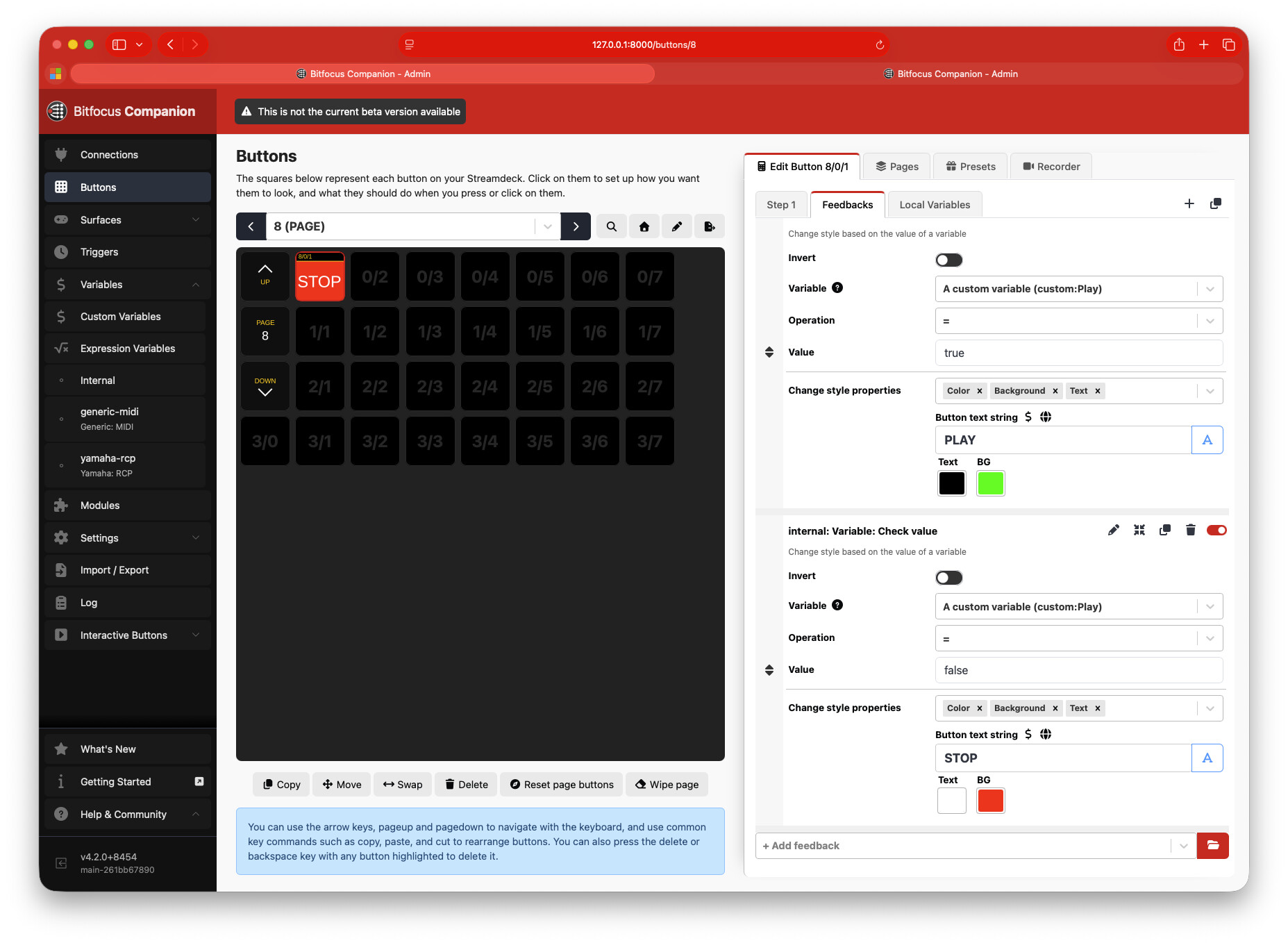
My rules for my feedback for the play button are:
generic-MIDI Note on:
Channel 1
Note Number 94 (that’s my A#5)
Velocity 127
It kicks in the first time with the first sent note from cubase but it doesn’t take the note off of the cubase stop. So it won’t retrigger.
The “issue” is that your feedback is looking for a note-on message, and it receives it, but a note-off message is a different message, it’s not another note-on message with a different value. So the note-on is always true after the 1st time. To “cancel” that feedback would require another note-on message on the same channel, same note, different velocity.
e.g. Note On, A#5, 127 turns button red. Only another Note On, A#5 at a velocity of any value that’s NOT 127 will cancel that feedback.
So, there’s many ways to solve this without trying to get CuBase to send a different message.
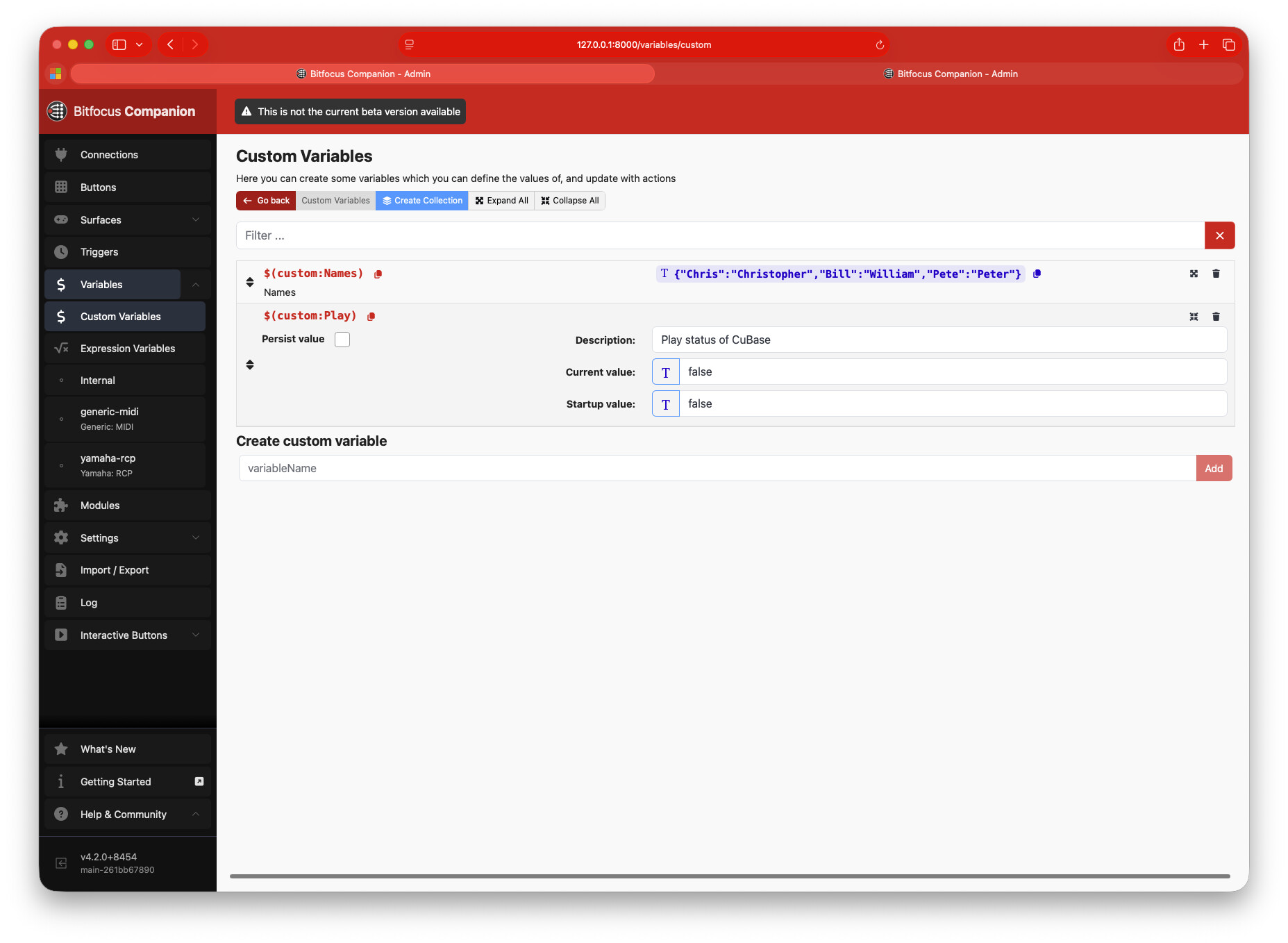
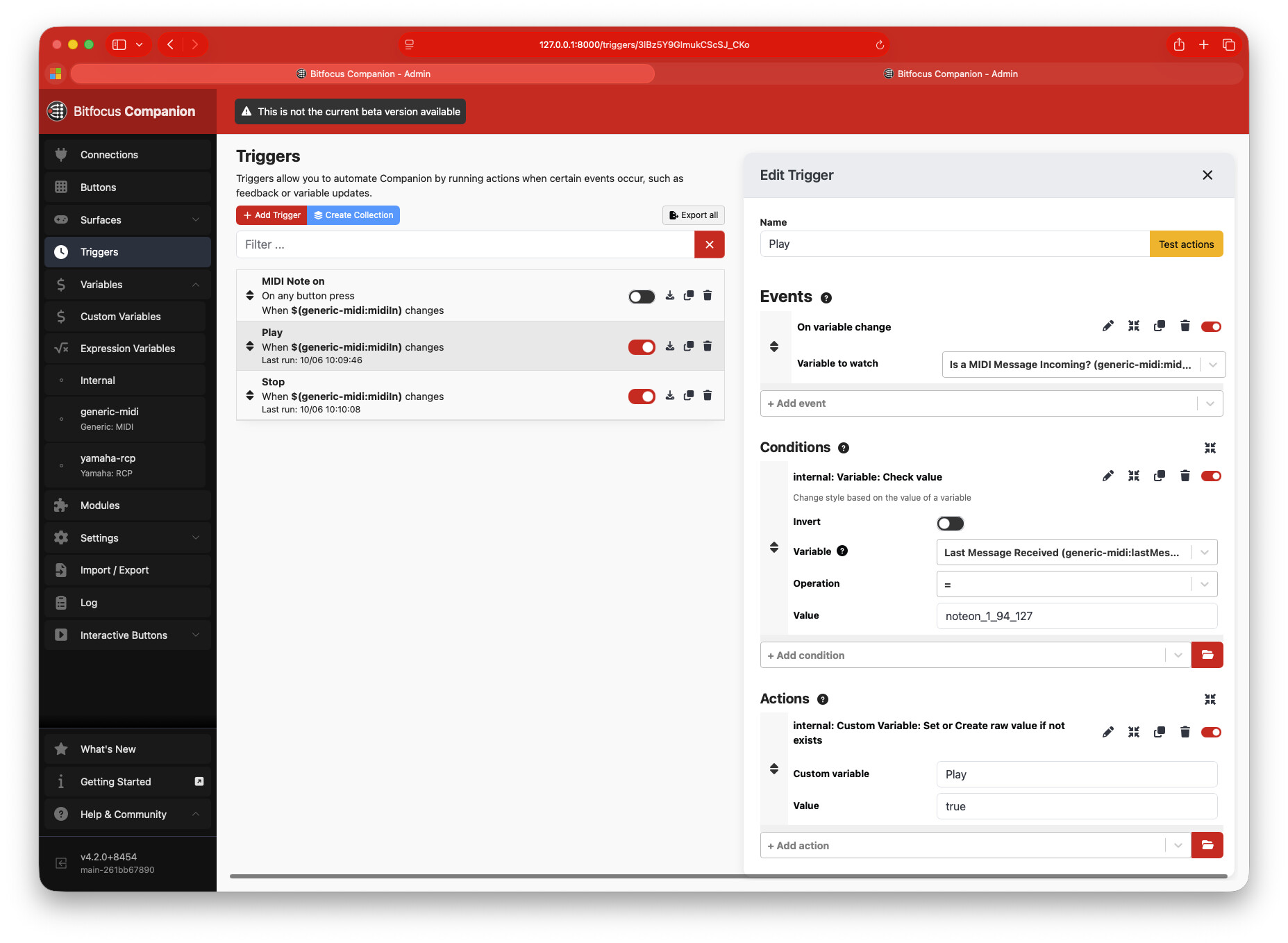
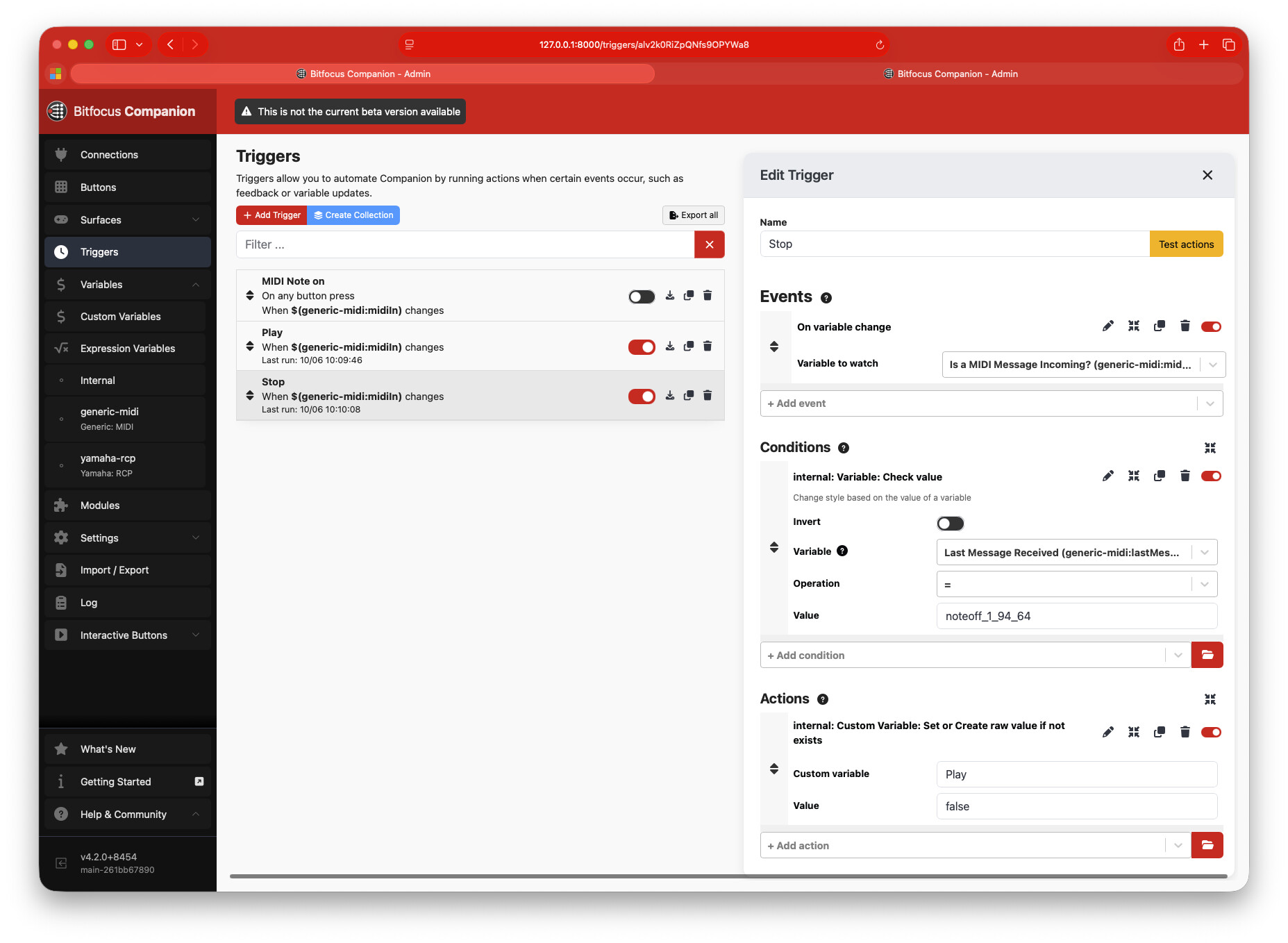
I tried for a bit using local variables, but I’m not familiar enough with how they work, so I just did a custom variable called “Play” instead. Using 2 triggers, Play is “true” when CuBase is playing, “false” when stopped. It’s only following the A#5 note, not the A5 note.
It didn’t work out completely but now I’ve found a way. Your way helped to get (nearly every time, but not every time) to activate the “play” feedback but it failed the “stop” feedback.
After testing this and that I learned that the mackie protocol is sending lots of midi stuff while playing back, mostly midi-CCs and other controller stuff. I think this is why the “stop”-Trigger didn’t work. When it’s triggered by MIDI activity, there’s already new data and the noteoff_1_94_64 isn’t the last message.
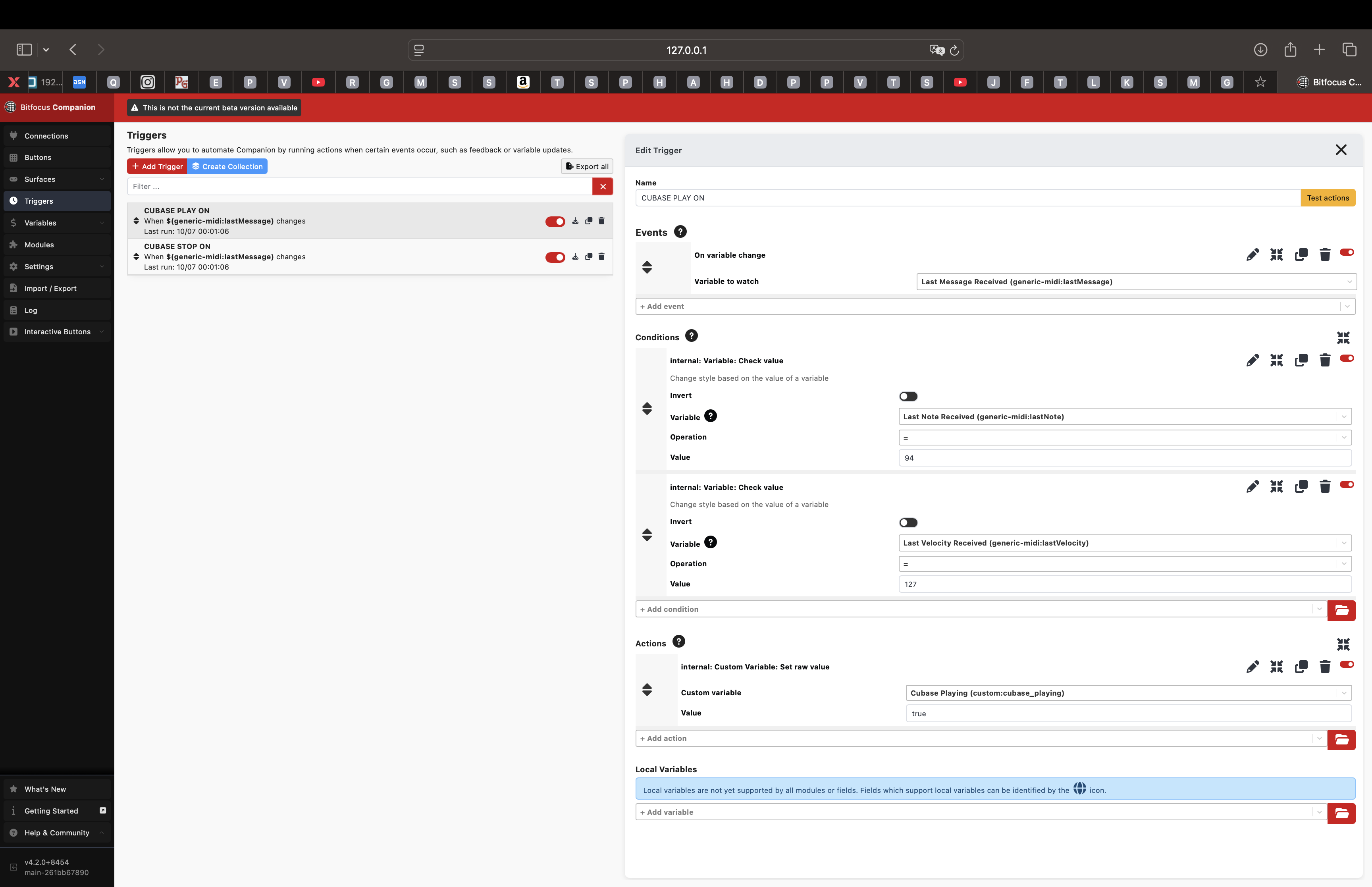
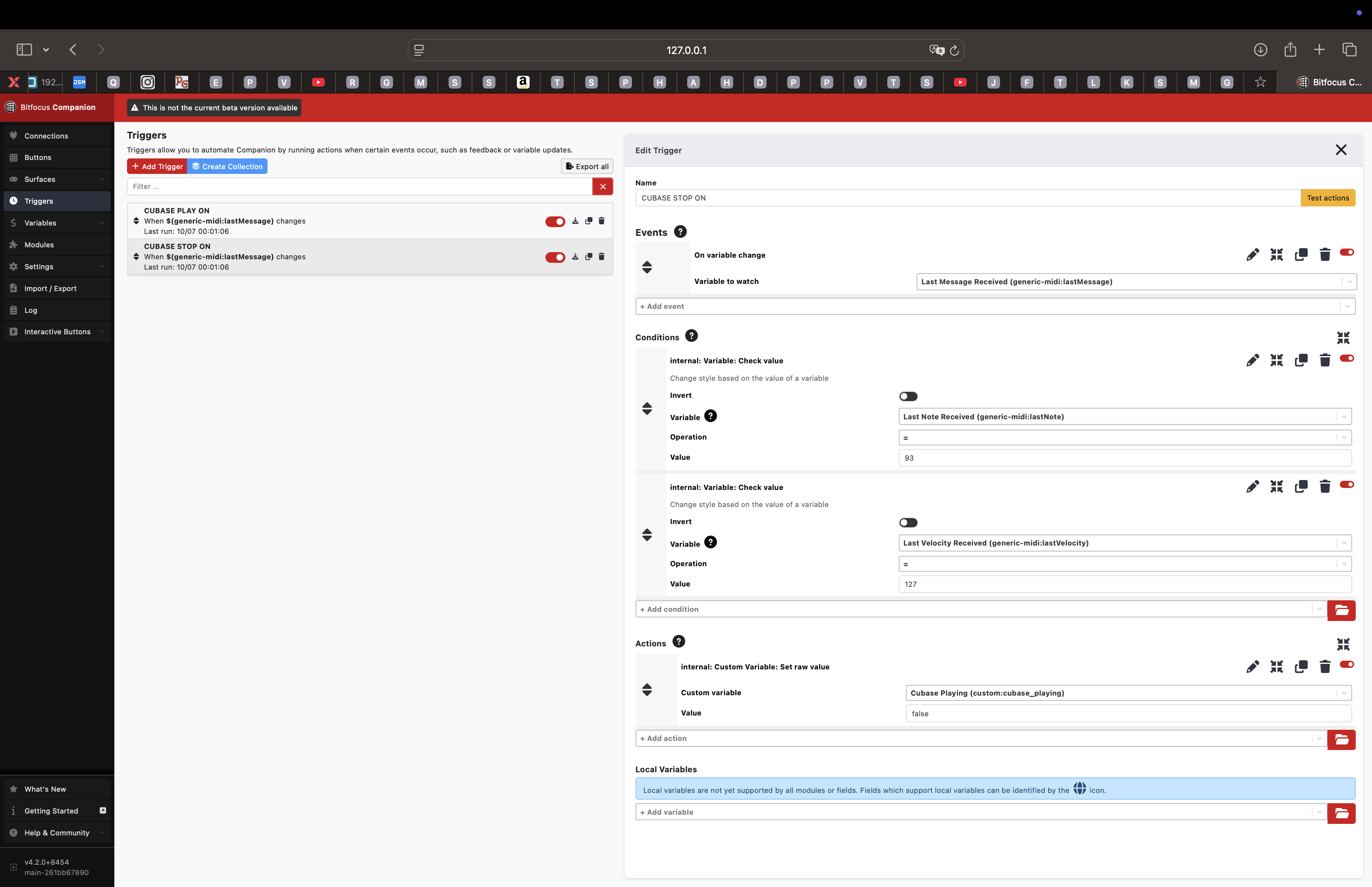
What I did and it seems to work is as event: On variable change: generic-midi: lastMessage)
and on conditions for play: last note received=94 AND last velocity received=127
and for stop: last note received=93 AND last velocity received=127
Thank so much, now it’s running and I’ll try the record button!!