Hey I´m sorry to keep bugging you like this but I´m still having trouble getting this to work properly.
As I wrote earlier I got the RCP module to work with my QL5.
When following the instructions on your page regarding the CLQL module I downloaded your version and chose it in the “Developers module path” and was able to make a connection with it to my mixer. However when I tried to record something on a new macro nothing happened. I mean I got the button to record mode but when I made some changes on the console companion did not register anything happening. I tried both the 3.4.3 stable version and the 4.0.0 beta but neither of them worked.
Am I still being stupid or what´s going on?
No worries.
Are you able to get the editor to connect to the console on the same computer that you’re using for companion?
You don’t need the editor connected while using companion, it’s just a way to test that there’s no networking problems.
Are you getting a green checkmark beside the module name in companion, showing that you’ve connected?
Open the module log. It’s accessed from the module menu in the list of modules.
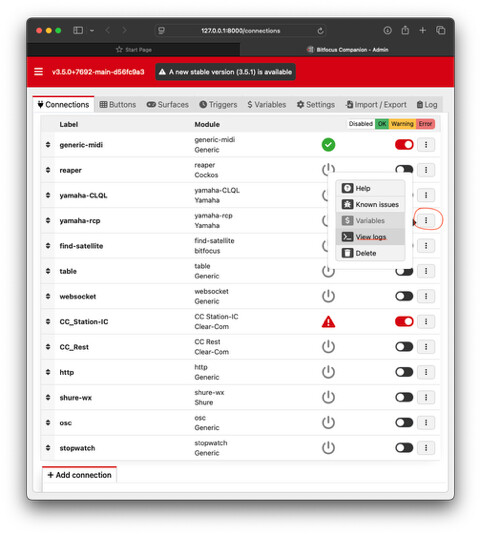
In the module log, are you seeing messages coming from the console when you move a control or push a button on the console?
It’s been a while since I checked it myself, so I connected up my computer to my CL1 and ran some tests. Seems like everything is still working on the latest stable companion (3.5.1) and the latest CL1 firmware.
I wouldn’t try version 4 of companion just yet, it’s brand new and a bit buggy.
Hey!
Yes the QL Editor works. And the log detects when I move faders.
But I had an idea just now. Are there specific buttons I should download and use for the CLQL module? Because now I´m using the buttons I imported for the RCP module…
Cool!
I don’t think there’s any presets for the CLQL module, so you’ll have to make them from scratch. However, you can add both the RCP and CLQL modules to your companion configuration and have both kinds of actions on a button, depending on which works best for you!
But the problem still remains that I cannot record anything to a button/macro
Can I make a short video and send you?
Sure.
You see the commands arriving in the Action Recorder, right?
Nop I don´t…
Can I post a video in this chat or should I mail it to you?
You can post it here or if you don’t feel comfortable with that, you can send me a DM
Got it. I see what you mean.
Did you grab the macro button from here ?
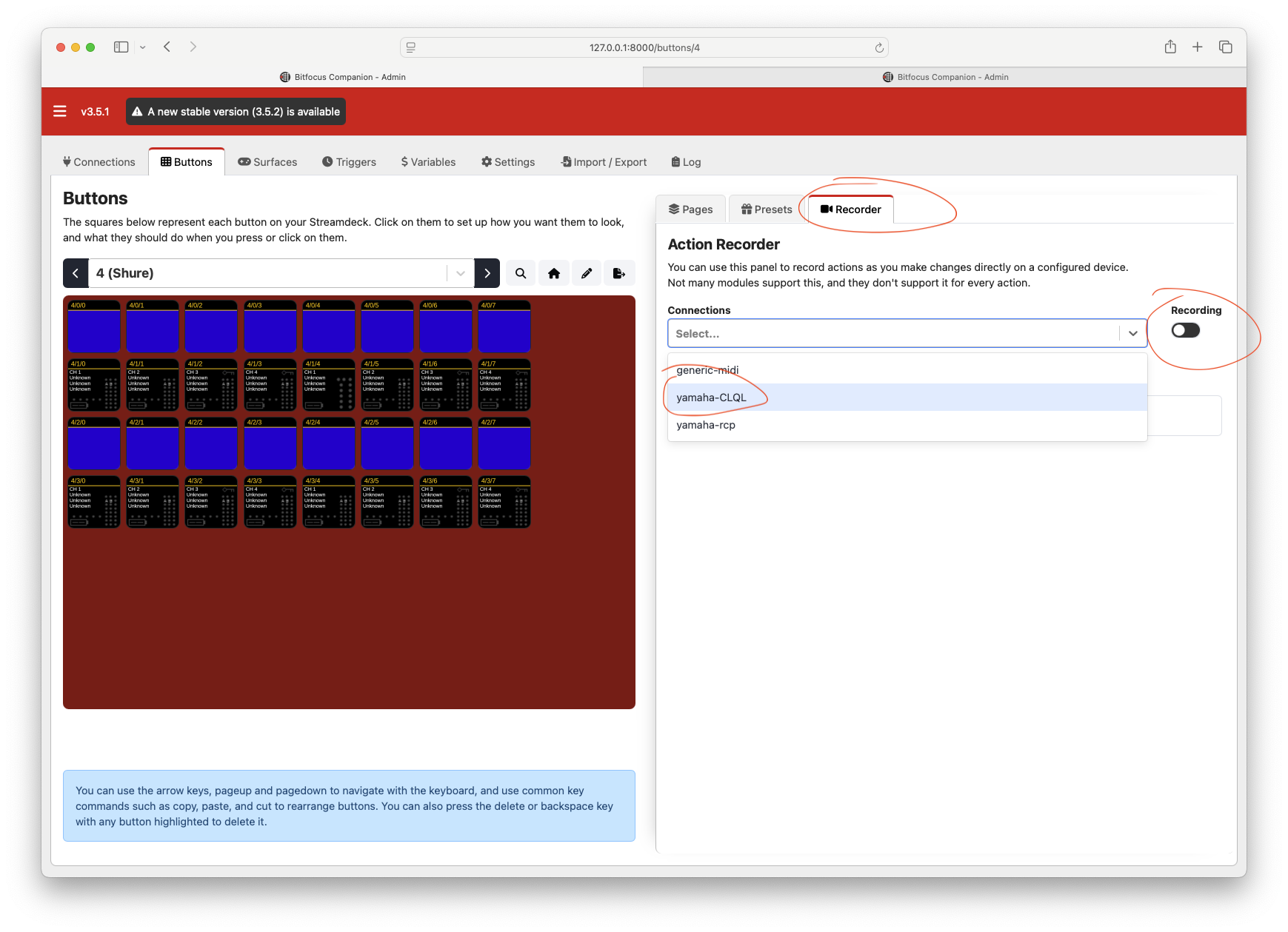
Yes I did!
I´ve tried that. Nothing happens
Can you do a little video of you trying the Action Recorder?
Actually now that I tried again it worked
For some reason DB videos won’t play within the forum threads. (They used to, no idea why they don’t anymore!)
Just post the link.
“Dropbox”