Hi! Is there a way to send a midi message or osc OUT of a dm7 console to somethiing like a Midi translator that could make it into an OSC message to select a corresponding fader in something like LV1?
For example, if I were to press SEL on a channel or even CUE on a channel, is there a way to get a control message out of the console?
Oh nice. I wasn’t aware that Cue was able to send out OSC messages. Yes, there is a OSC bridge to LV1 piece of software that will take OSC messages and convert them into midi that LV1 will understand. How do I monitor the osc message that comes from DM7?
I mean a cue operation on the console can send RCP or osc.
So lv1 needs midi?
Simplest “converter” would be to use companion receiving RCP and triggering midi messages.
so how do i see what the osc message is? can I use the “trigger” function in companion to listen for the message and then create an action that sends the midi message to lv1?
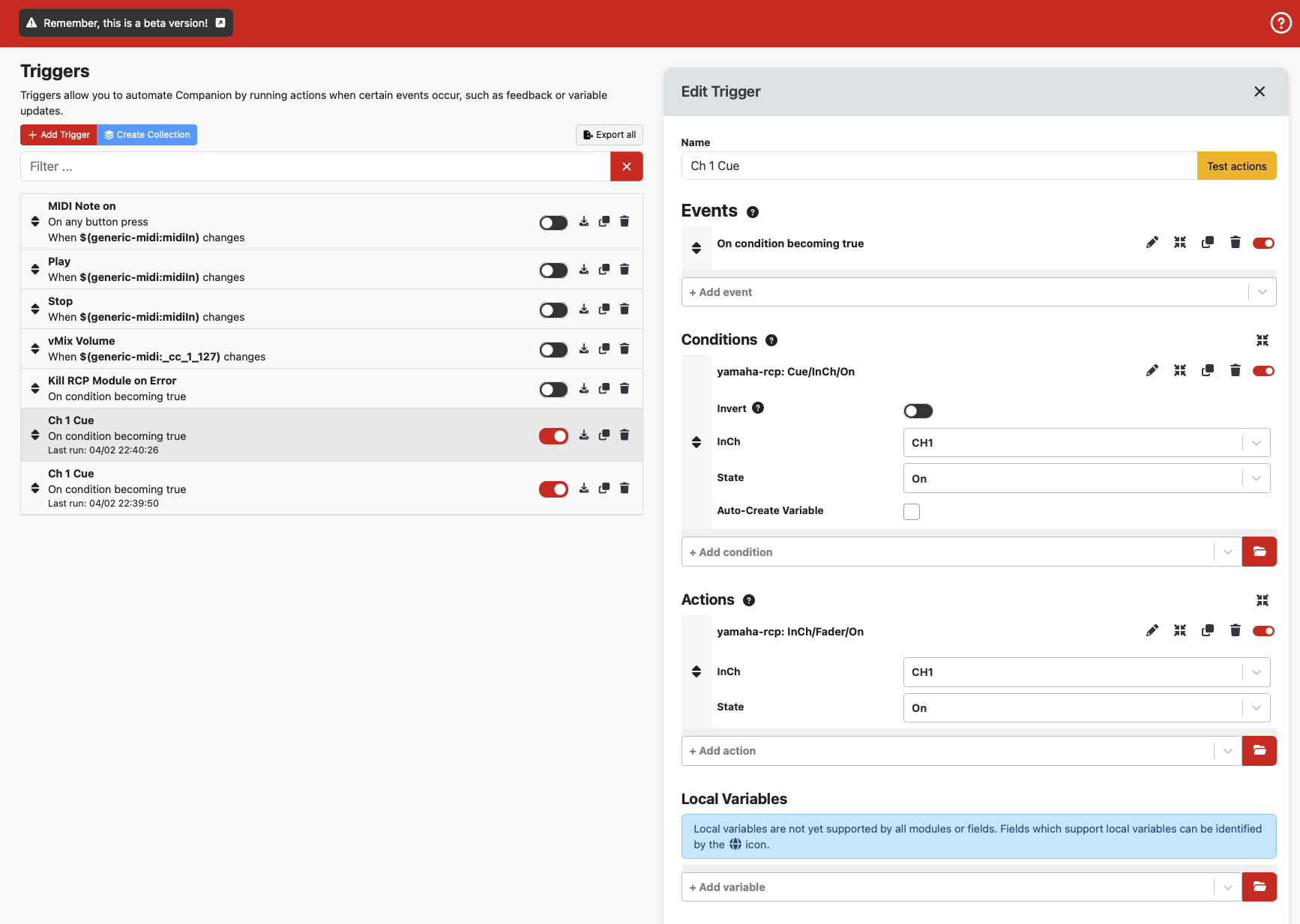
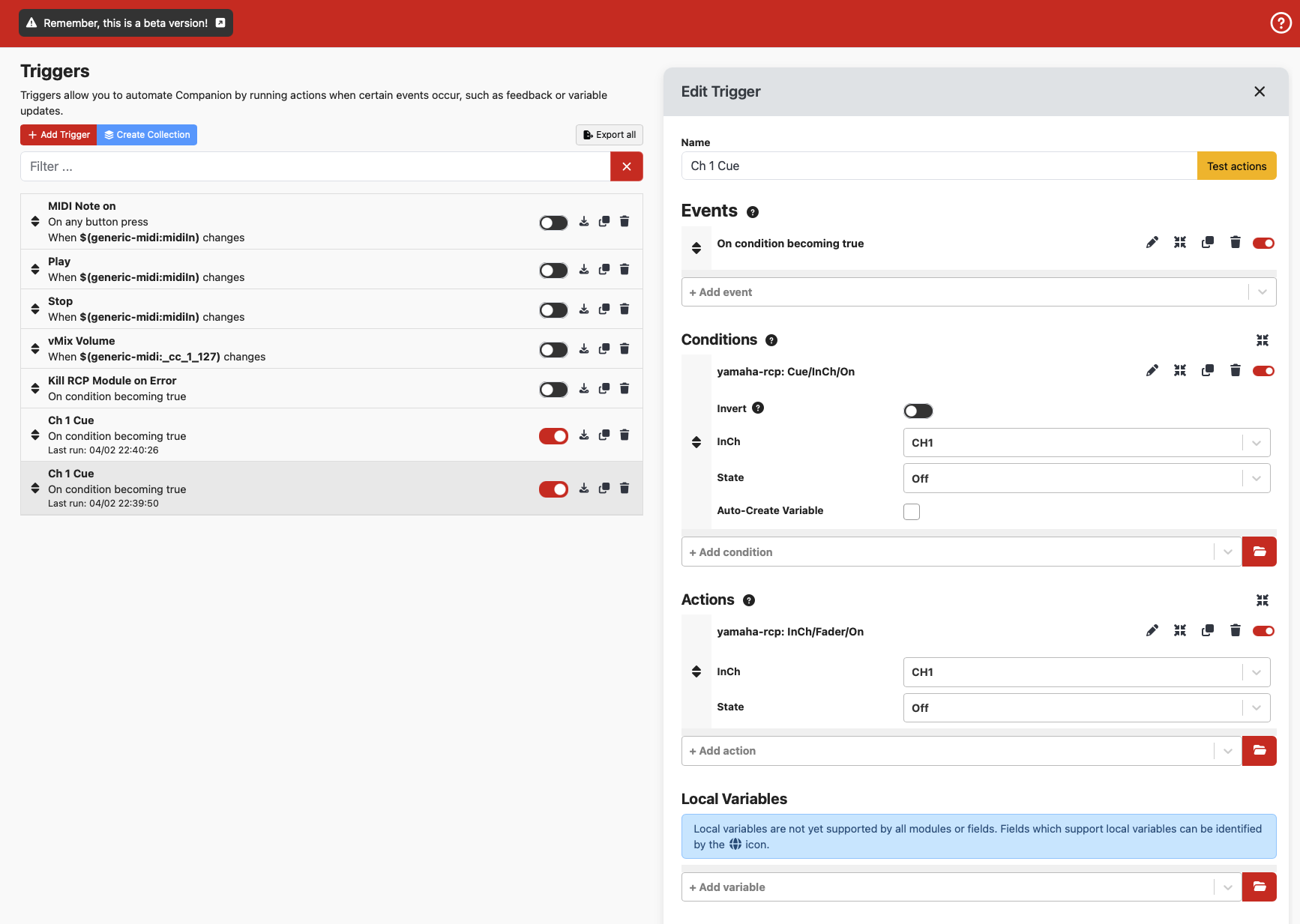
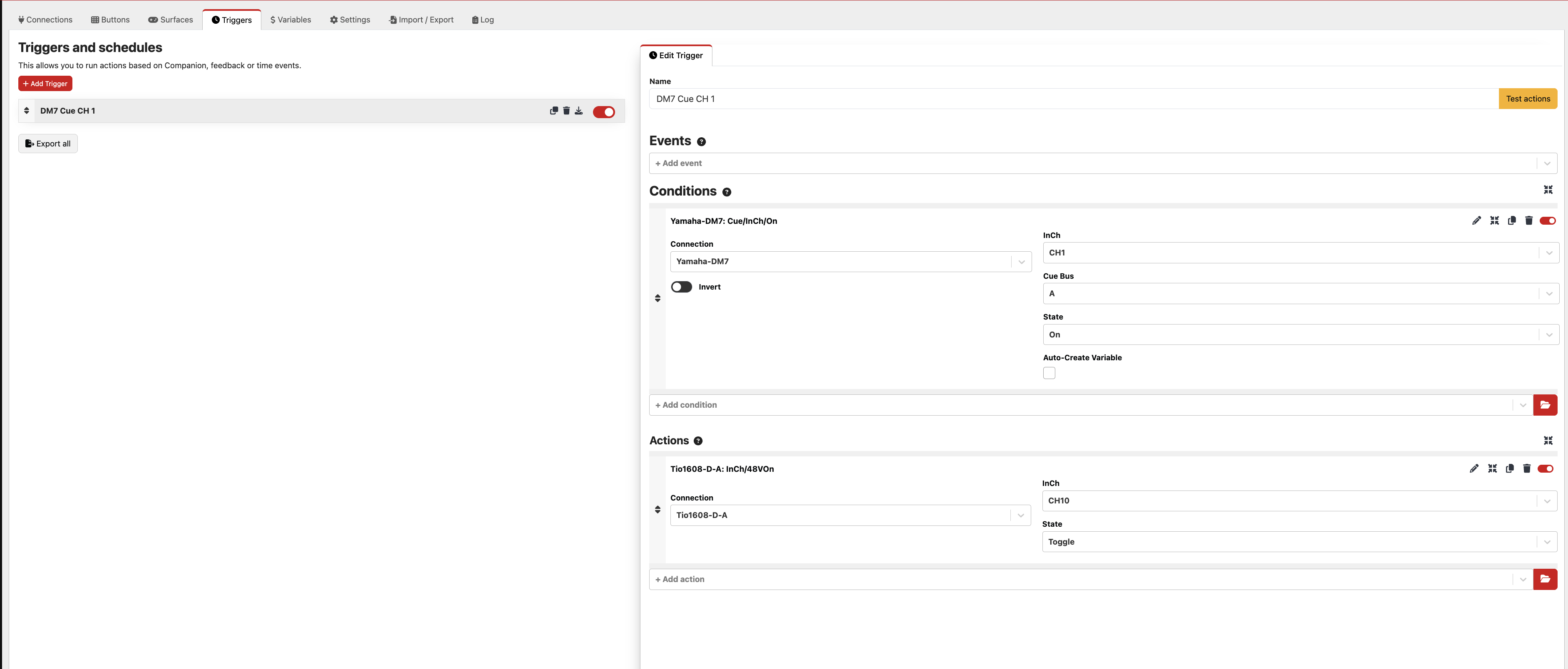
Okay, I created a trigger using RCP. The action for now just to see if it works was to turn on a phantom power on a channel on a tio. When i hit test on the trigger the phantom power triggers fine. When I hit the cue button on CH 1 on the DM7 it doesn’t work. What am i doing wrong?
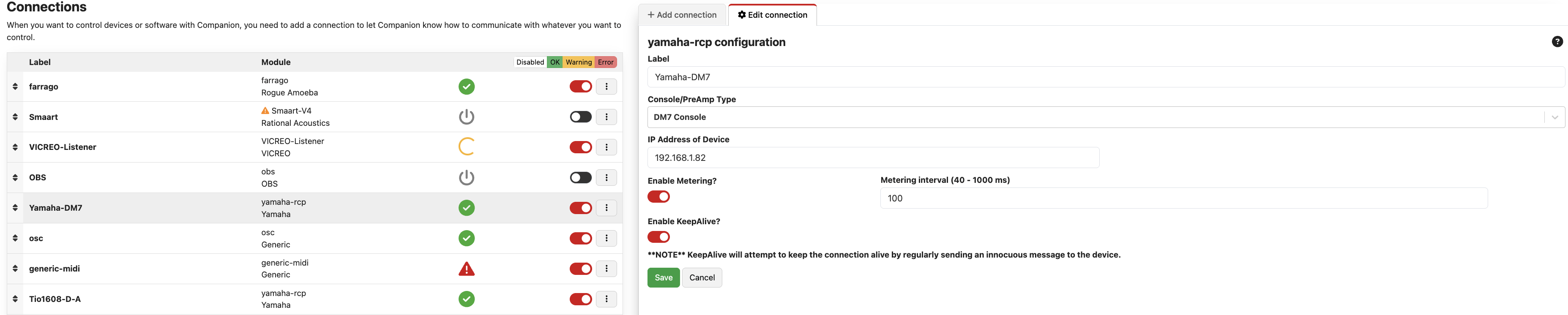
it doesn’t seem to be, no. when i trigger phantom power on the Tio from my streamdeck, i see the log entries immediately, when i hit “cue” on the console, nothing is happening in the log. the ip address for companion to the dm7…. does this need to be the “for Mixer Control” ip or “For Device Control” ip? I’ve tried both but what to make sure i’m on the right one….
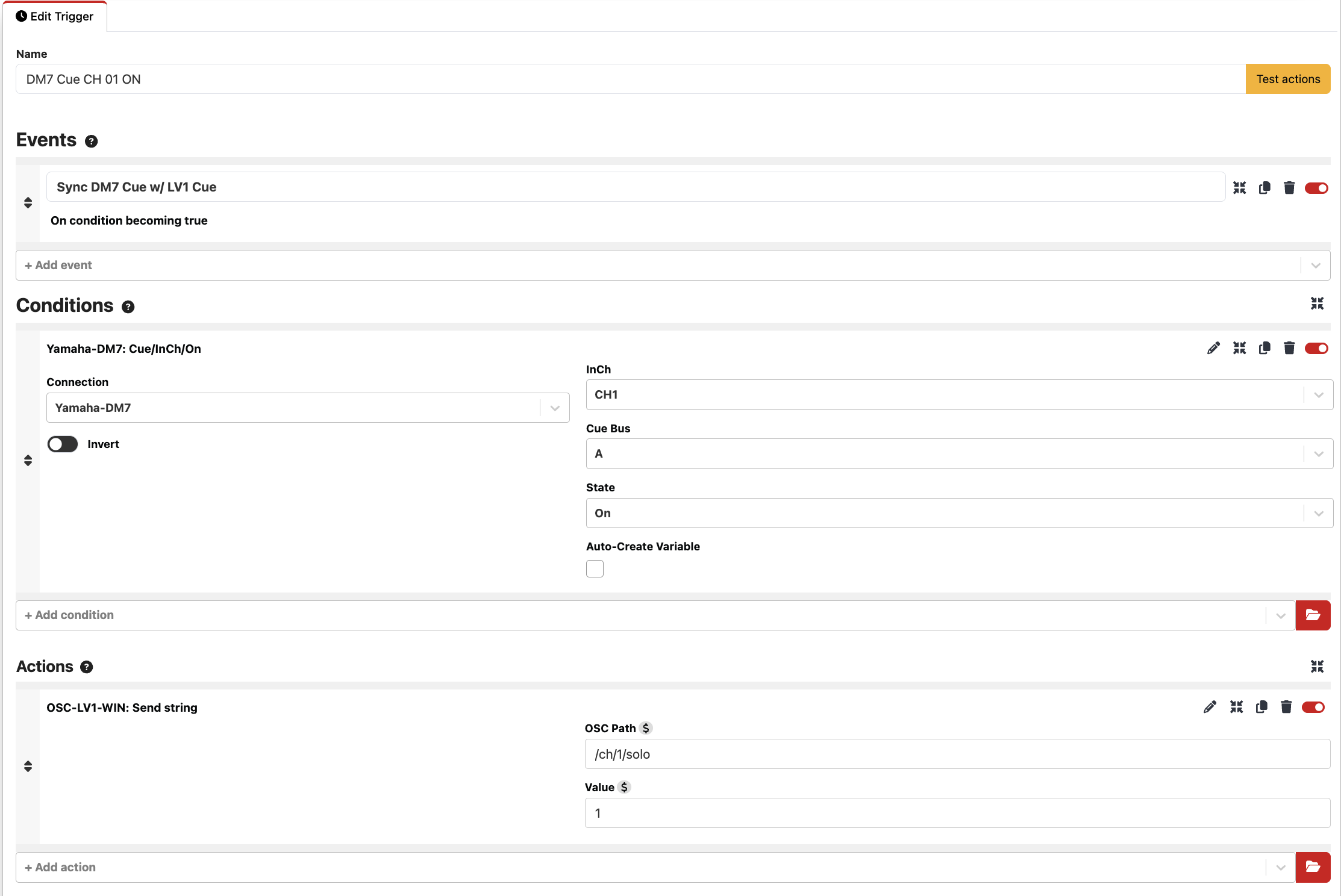
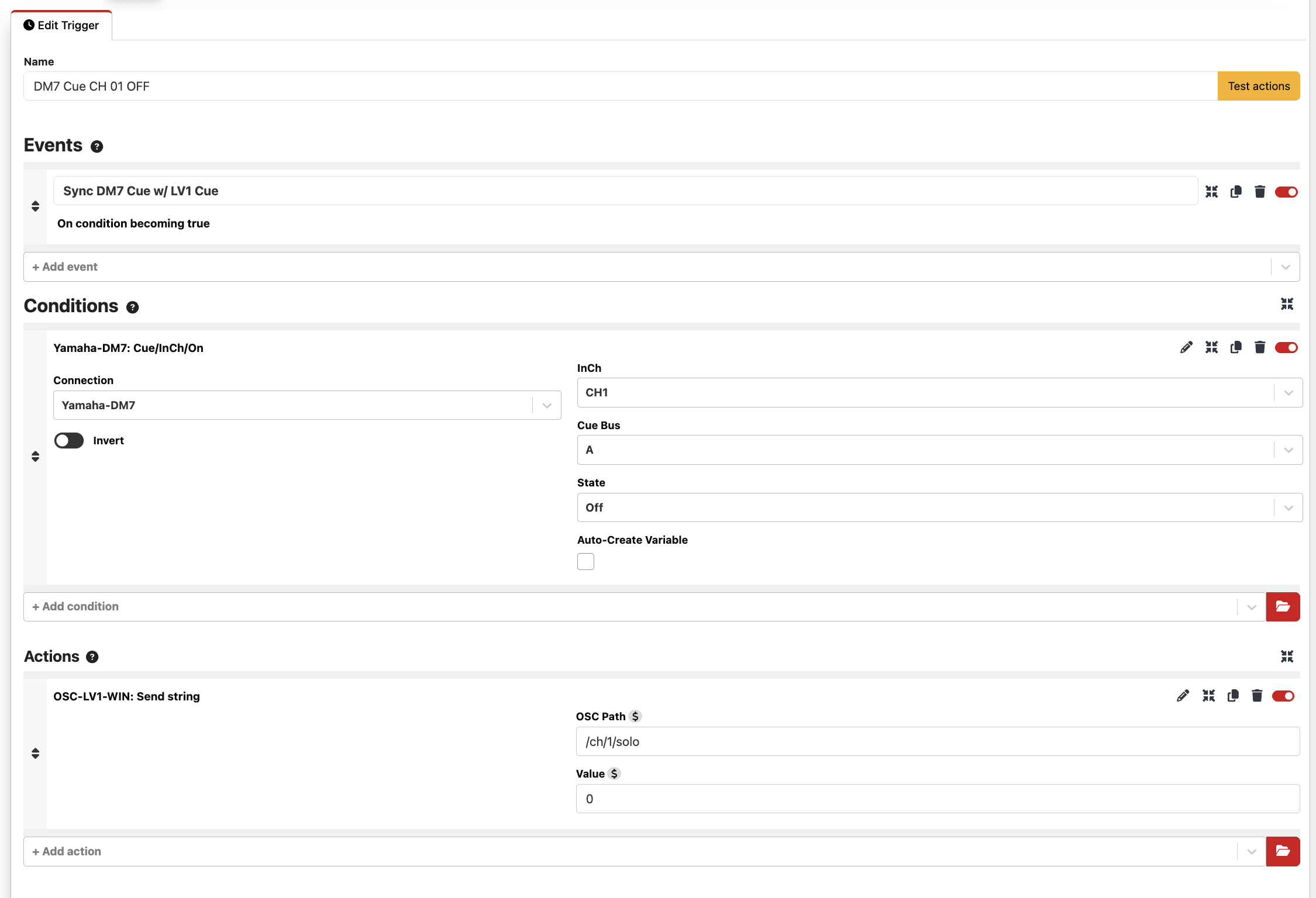
companion DOES see the cue being pressed on and off if i put it on a button in the feedback section…. so there is something happening there, it just doesn’t seem to work in the condition section of triggers? as in, if i set the background to change to a different color when the cue button is pressed, it will do it. still doesn’t show up in the log though. suggestions?
the “On condition becoming true” enabled…. yeesh. All working now. The action is an OSC message to OSC to LV1 bridge, which enables the cue as intended but doesn’t actually select the channel. The developer has another version of the bridge that functions like a FIT controller that will hopefully fix this issue and then i’ll be completely good to go!
It is and it’s like 13 euros for a full license. i’m doing the beta right now. If the messages that are coming into companion yamaha rcp from the DM7 are already OSC messages then I’m guessing there may be a way to send them directly. It might be hard to route them all to the right places without the organization that companion offers though. i’m not an expert on osc though, first time using it….
The RCP module doesn’t use OSC, as OSC is only available on the DM7, DM3 and Rivage. The CL, QL, RF, RIO, etc. all can use RCP. Plus RCP can do more.
But… working with DM7 OSC directly might be something that would be useful for that bridge software and your purposes, so you optionally can run things without companion in the middle.
I’m looking for similar, I’m wanting to multitrack record, and have Logic automatically mark when I change scenes, and label the marker the scene change. IE Switch from 001: Song 1 to 002: Song 2 on the DM7, and have Logic place a marker labeled “Song 2”.
My current thought is the DM7 sends out a MIDI program change when it changes scenes, something like companion or keyboard maestro sees the program change, asks the DM7 what the current scene is, then adds a marker and renames it in Logic
Then it’s definitely do-able. The RCP module tracks the names and numbers of the current scene as it’s recalled, then you’d have it trigger sending an OSC message using the OSC module.
You just have to figure out what OSC command Logic needs to receive to make the mark and set the name of that marker and use the scene name and number variable from the RCP module to set it on Logic.
 suggestions?